Skip to content
View in the app

A better way to browse. Learn more.

GACE Online ßETA Test Site

A full-screen app on your home screen with push notifications, badges and more.

To install this app on iOS and iPadOS
  1. Tap the Share icon in Safari
  2. Scroll the menu and tap Add to Home Screen.
  3. Tap Add in the top-right corner.
To install this app on Android
  1. Tap the 3-dot menu (⋮) in the top-right corner of the browser.
  2. Tap Add to Home screen or Install app.
  3. Confirm by tapping Install.

Dennis Maidon

Administrators
  • Joined

  • Last visited

Files posted by Dennis Maidon

  1. GACE 2023 FALL CONF REG FORM FINAL.pdf
    • 0 Downloads
    Updated
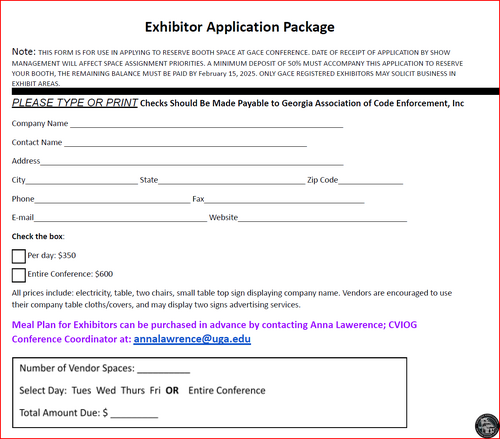
  2. VENDOR APPLICATION GACE.docx.pdf
    • 0 Downloads
    Submitted
  3. Preliminary Agenda - GACE Spring 2025. updated 1.7.25.pdf
    • 0 Downloads
    Submitted
  4. GACE 2025 Spring Registration Form - Final.pdf
    • 0 Downloads
    Submitted
  5. 2025 GACE Absentee Ballot.pdf
    • 0 Downloads
    Submitted
  6. GACE How to Access Certificate Status and Transcript Printing.pdf
    • 1 Downloads
    Submitted
  7. 2023 GACE CONFERENCE BOOKLET FINAL.pdf
    • 0 Downloads
    Submitted
  8. gace-seal_512.png
    • 1 Downloads
    Submitted
  9. gace-seal_512.svg
    • 0 Downloads
    Submitted
  10. Official GACE Bylaws
    Revised: March 9, 2023
    Edited
    • 7 Downloads
    Updated

Important Information

By using this site, you agree to our Terms of Use.

Account

Navigation

Search

Search

Configure browser push notifications

Chrome (Android)
  1. Tap the lock icon next to the address bar.
  2. Tap Permissions → Notifications.
  3. Adjust your preference.
Chrome (Desktop)
  1. Click the padlock icon in the address bar.
  2. Select Site settings.
  3. Find Notifications and adjust your preference.